Microsoft Teams, Zoom or Webex: How to Design Meeting Rooms That Work Across Platforms
The meeting starts at 10:00.
At 9:58, someone walks into the conference room. The display is ready. The camera is on. The microphones are connected. The room is filled with sophisticated collaboration technology.
There is just one problem.
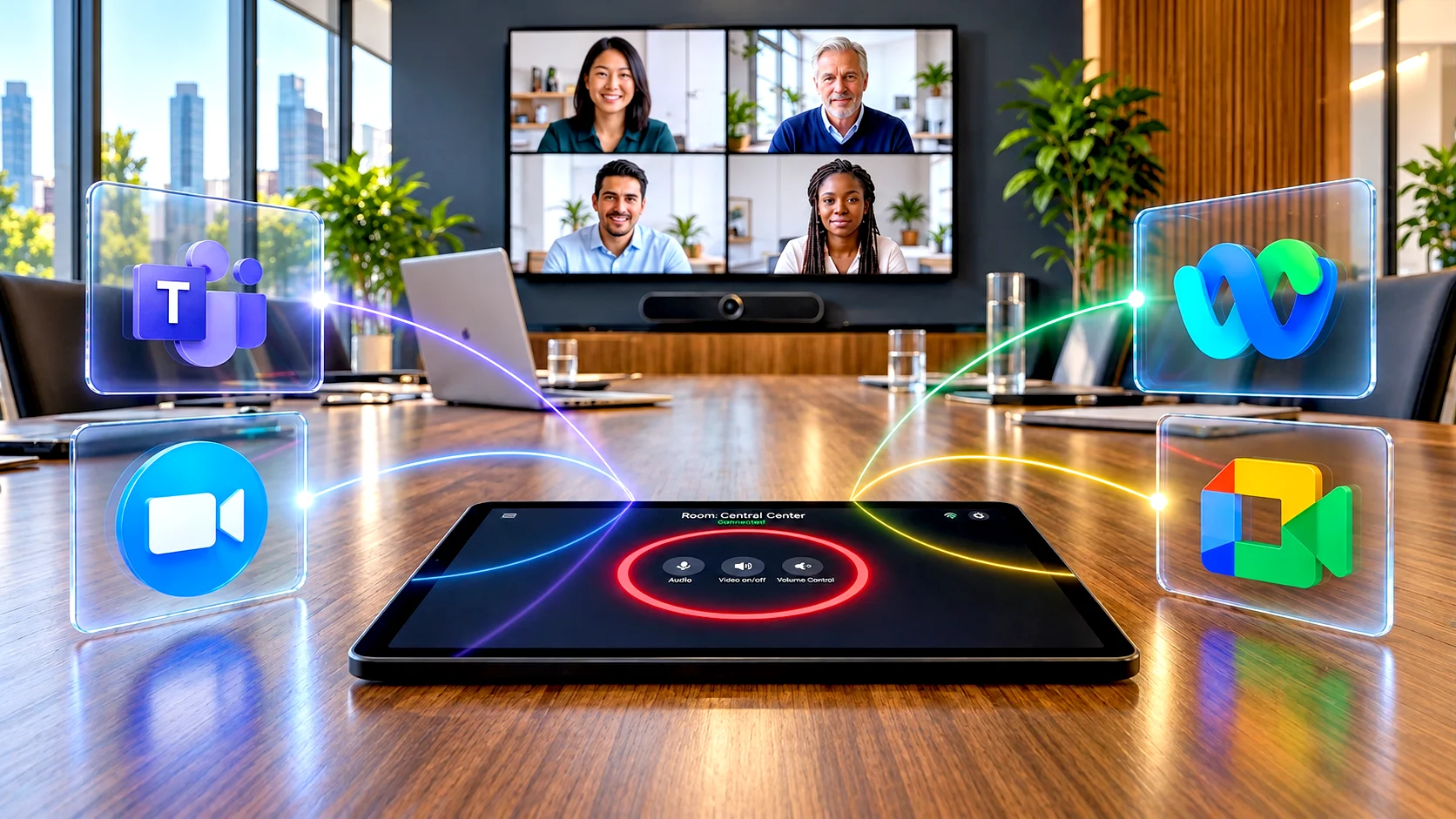
The room is built around Microsoft Teams. The invitation came from Zoom. And one of the external participants is joining through Webex.
What should have been a simple meeting suddenly becomes a technology exercise.
This scenario is increasingly familiar to enterprise IT and workplace teams. Organisations may standardise internally on one collaboration platform, but the people they work with rarely do the same. Customers, consultants, suppliers, partners and global offices may all bring different platforms into the same collaboration environment.
That changes the question enterprises need to ask.
It is no longer simply, “Should we build a Teams Room, Zoom Room or Webex Room?”
The more important question is:
“How do we design a meeting room where users do not have to care which platform the invitation came from?”
That is the real challenge of meeting room interoperability.
What Does Meeting Room Interoperability Actually Mean?
Meeting room interoperability is the ability of a collaboration space to participate effectively in meetings hosted across different conferencing platforms without creating unnecessary complexity for the user.
In practical terms, an interoperable room should allow someone to walk in and join a Microsoft Teams, Zoom or Webex meeting with minimal friction, even when that meeting is not hosted on the room’s primary platform.
The important word here is effectively.
A room may technically be capable of connecting to another platform, but that does not necessarily mean the user receives the same experience they would get in a native meeting. Camera behaviour, participant layouts, content sharing, whiteboarding, meeting controls, dual-display functionality and other features can vary depending on how the interoperability has been designed.
That is why a successful cross-platform room needs to be evaluated by more than one question.
Not simply: “Can it connect?”
But: “What happens once it does?”
The Best Cross-Platform Room Makes the Platform Almost Invisible
A truly well-designed cross-platform meeting room should never make users think about the technology behind it.
They should not need to know which codec is installed, which interoperability gateway is working in the background, whether the connection is running through WebRTC, SIP or CVI, or how the media is travelling across the network.
None of that should matter to the person walking into the room.
What should matter is simple: the meeting is there, the controls are intuitive, and joining takes seconds.
That simplicity, however, is the result of a lot of complexity being solved behind the scenes.
Designing a room that can move reliably between different collaboration platforms requires careful decisions around interoperability, networking, devices, control, security and user experience.
The best cross-platform room is not the one that shows how sophisticated the technology is. It is the one that makes the technology almost disappear.
Start With the Platform Your Organisation Uses Most
Platform-agnostic does not necessarily mean platform-less.
Most enterprises still operate around a primary collaboration ecosystem. For some, that may be Microsoft Teams because their wider productivity environment is built around Microsoft 365. For others, Zoom or Webex may be deeply embedded into existing workflows.
That primary platform should usually define the room’s native experience.
Where organisations often go wrong is designing only for that native experience.
The better approach is to ask a second question:
How often does this room need to participate in meetings hosted somewhere else?
Imagine two organisations.
In the first, 95% of internal and external meetings happen on Microsoft Teams. In the second, employees use Teams internally but spend half their week joining Zoom and Webex meetings hosted by customers.
Both organisations may have the same primary platform. They should not necessarily have the same room architecture.
This is why cross-platform meeting-room design should begin with workflow analysis, not product selection.
Four Ways to Build a Cross-Platform Meeting Room
There are several approaches to interoperability, and none is universally right for every organisation.
| Approach | How it works | Best suited for | Main consideration |
|---|---|---|---|
| Native Room | Room is optimised around one primary collaboration platform | Enterprises heavily standardised on one ecosystem | Third-party meeting experience may differ |
| Guest Join | Native room joins another platform through supported guest or web-based interoperability | Organisations with occasional external meetings | Feature parity may be limited |
| CVI / SIP Interoperability | Gateway or interoperability service enables structured cross-platform participation | Enterprises with frequent business-critical cross-platform meetings | Additional architecture, licensing and management |
| BYOD / BYOM | User’s laptop hosts the meeting while accessing room peripherals | Highly mixed collaboration environments | User workflow and connectivity must be extremely simple |
The most effective enterprise environments often do not rely on only one of these approaches. They combine them.
A room may operate natively on Microsoft Teams for most meetings, support guest join for occasional Zoom or Webex calls, and still offer BYOD as a fallback when greater flexibility is required.
The architecture should follow the meeting behaviour. Not the other way around.
Native Rooms: Best When Consistency Matters Most
A dedicated room system gives users an environment optimised around one collaboration platform.
That brings clear advantages. Meetings can appear automatically on the room calendar. One-touch join becomes possible. Room controls can feel consistent. Devices can often be managed centrally. Employees learn one workflow and encounter it repeatedly across locations.
For organisations with hundreds of meeting spaces, that consistency is valuable.
But the challenge begins when a meeting arrives from outside the native ecosystem.
Modern collaboration platforms increasingly provide ways to join supported third-party meetings, but those experiences may not always offer the same functionality as the native platform.
That means the design question should not be, “Does this room support Zoom?”
It should be, “What will a Zoom meeting actually feel like in this room?”
That distinction matters.
Guest Join: Simple Access, With Some Trade-Offs
Guest join is often the simplest way to extend a native room into another collaboration ecosystem.